
Solo
For those who work alone and are just getting started.
R$ 29/month
- 1 professional
- 1 business
- Public booking link
- Day and week calendar
- Services, hours and days off
- Client list
- Confirmation emails and an add-to-calendar button
Online scheduling for appointment-based businesses
Your clients book through your link, no account needed. You follow everything in one calendar, with every professional, service and time slot in the right place.
7 days free. No credit card required.
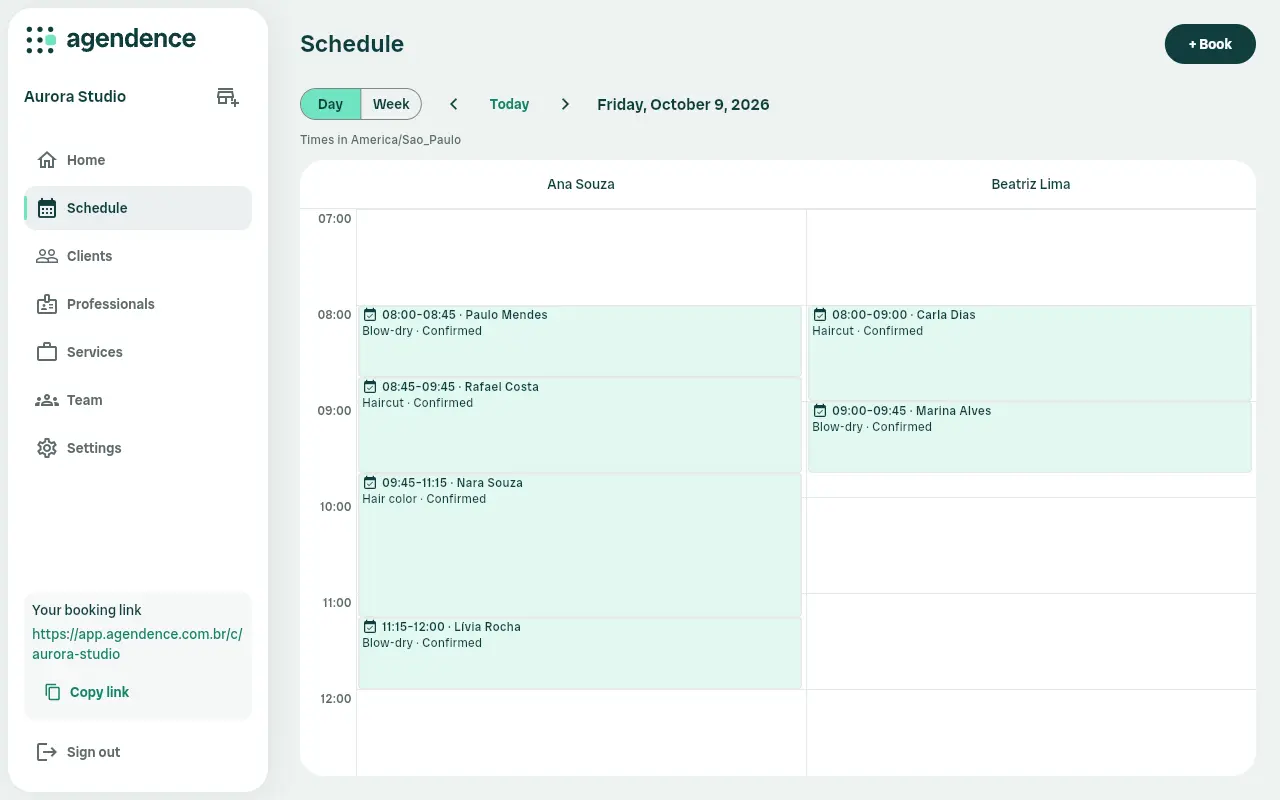
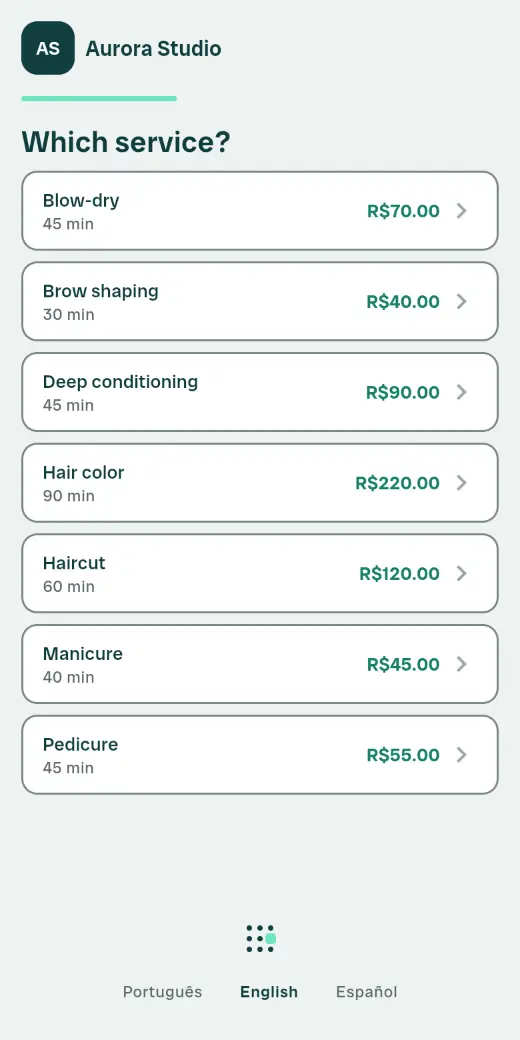
Your booking page can be live in a few minutes.
What you offer, how long it takes and who works each day, with days off and breaks.
Your own address for your Instagram bio, WhatsApp or website.
See the page of a sample salonEvery booking lands in your calendar, and the client gets an email confirmation.
Features that are already in Agendence today.
Clients see your services and open times and confirm in a few taps, without an account.
A column per professional in the day view, plus the week view and a professional filter.
Book whoever called or walked in, with the same open times as the link.
Add clients without a booking and see their last and next visit and how many appointments. Only your team sees the notes.
Set it on the service itself and see which one nobody performs.
Clients get a confirmation with a link to cancel, and can add the appointment to their own calendar from the booking page.
Invite your team by email; each person signs in with their own account.
Switch between businesses without signing out.
The dashboard and the booking page in each user's language.
Clients change the time through the link in the email, no phone call needed.
An automatic email the day before to cut down on no-shows.
For every business that works by appointment.
You choose what to call the people who book: client, patient, student or member.
A fixed monthly price, not a fee per professional.
Every plan starts with 7 days free, no card needed. Billing hasn't started yet — we'll let you know before it does.
For those who work alone and are just getting started.
R$ 29/month
Recommended
For small teams sharing one calendar.
R$ 59/month
For those running more than one business or a large team.
R$ 89/month
Prices in Brazilian reais (BRL), the currency we bill in.
No. Agendence works in the browser on your computer, tablet or phone. Just create your account and start.
No. They open your link, pick the service, the professional and the time, and enter their name, phone and email. The confirmation arrives by email, with a link to cancel if needed.
Yes. Each professional has their own services, hours and days off, and the calendar shows them side by side or one at a time.
On the Team plan, the first business is included and each additional business costs R$ 20/month, with its own calendar, link and team. Today there's a cap of 5 businesses per account — need more? Write to us at the email in the footer.
Yes. There is no contract and no cancellation fee. Nothing is charged during launch; when billing for the plans starts, we'll let you know beforehand and you decide whether to subscribe.
We take Brazil's data protection law (LGPD) seriously. We collect only what booking needs, each business's data is visible only to its own team, access is password-protected and all traffic is encrypted. The details are in the Privacy Policy.
Yes. The dashboard and the booking page adapt to the screen, and on a phone the calendar becomes an easy-to-read list.
Still have questions? Write to contato@agendence.com.br.
Create your account in a few minutes and try it free for 7 days.
Try 7 days free